
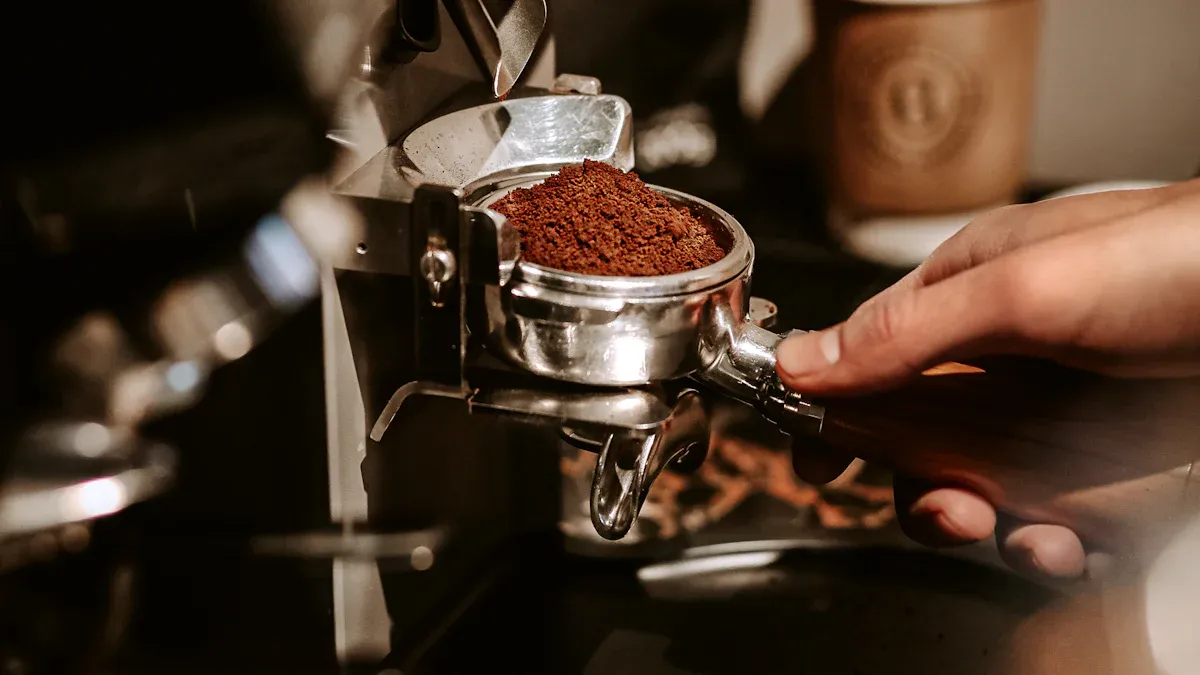
Nyob rau hauv lub ntiaj teb no ceev ceev, kas fes dispenser tshuab ua lub luag haujlwm tseem ceeb hauv kev txhim kho cov neeg siv khoom txaus siab. Cov tshuab no muaj ntau yam nta uas nyiam mloog thiab txhim kho cov neeg siv kev paub. Qhov muag pom kev nthuav qhia cov neeg siv khoom, thaum yooj yim thiab siv tau yooj yim rau lawv kom txaus siab rau lawv cov dej haus nyiam. Cov cuab yeej tshuaj ntsuam xyuas qib siab kuj tseem pab cov tuam txhab tsim kho lawv cov khoom, kom ntseeg tau tias lawv ua tau raws li cov neeg siv khoom nyiam.
Ntsiab Cai
- Customization xaiv hauv kas fes dispensertso cai rau cov neeg siv los kho lawv cov dej qab zib, txhim kho kev txaus siab thiab kev koom nrog.
- Cov neeg siv-phooj ywg interfaces nrog intuitive designs ua rau nws yooj yim rau cov neeg siv khoom mus rau thiab txaus siab rau lawv cov kev paub kas fes.
- Muaj ntau txoj hauv kev them nyiaj, suav nrog kev xaiv tsis sib cuag, txhim kho kev yooj yim thiab kev nyab xeeb, ua rau cov neeg siv khoom txaus siab dua.
Customization Options
Customization xaiv nyob rau hauv kas fes dispenser tshuab ho txhim khu cov neeg siv txaus siab. Cov yam ntxwv no tso cai rau tib neeg los kho lawv cov kev paub kas fes raws li tus kheej nyiam. Hauv chaw ua haujlwm ib puag ncig, kev hloov kho yuav tsum yog qhov tseem ceeb vim nws ua rau cov neeg ua haujlwm sib txawv. Cov kev xaiv xws li kev txhaj tshuaj ntxiv, cov mis nyuj cog, thiab cov kua qab zib kom ntseeg tau tias txhua tus tuaj yeem txaus siab rau lawv cov dej haus uas nyiam.
Nov yog qee qhov kev xaiv customization nrov uas nquag thov los ntawm cov neeg siv:
- Ntau hom kas fes blends
- Kho lub zog thiab qhov loj ntawm txhua lub khob
- Built-in frothers rau cov dej haus tshwj xeeb
- Programmable brewing xaiv
- Kev tswj qhov kub thiab txias
- Cov neeg siv profiles rau txuag nyiam
Cov yam ntxwv no tsis tsuas yog ua kom haum rau tus kheej nyiam tab sis kuj txhawb kev koom nrog. Cov dej haus Customizable chaw nyob qhov kev xav tau ntawm kev noj haus thiab kev nyiam, uas txhim kho tag nrho cov neeg siv kev txaus siab. Kev ua tus kheej ua rau muaj kev coj noj coj ua hauv chaw ua haujlwm zoo, txhawb nqa cov neeg ua haujlwm zoo dua.
Ntxiv mus, muaj peev xwm muab kev xaiv zoo likev cai zaub mov txawv thiab cog cov mis nyujlwm txoj kev txaus siab rau ntau yam kev xav. Kas fes dispenser tshuab nruab nrog cov yam ntxwv no tsim kom muaj kev lom zem ntau dua, ua rau lawv muaj txiaj ntsig ntxiv rau txhua qhov chaw.
Cov neeg siv-phooj ywg interface

Cov neeg siv-phooj ywg interfaces ua lub luag haujlwm tseem ceeb hauv kev txhim kho cov neeg siv khoom txaus siab nrog cov tshuab kas fes dispenser. Lub interface tsim tau zoo kom ntseeg tau tias cov neeg siv tuaj yeem taug qab lub tshuab tau yooj yim thiab txaus siab rau lawv cov kev paub kas fes yam tsis muaj kev ntxhov siab.
Niaj hnub nimno kas fes dispenser tshuabfeem ntau feature high-resolution xim cov ntxaij vab tshaus. Cov ntxaij vab tshaus no tso tawm cov ntawv qhia meej nrog txog 30 qhov kev xaiv haus. Cov neeg siv tuaj yeem xaiv lawv cov dej haus uas xav tau sai, uas txuag lub sijhawm thiab txhim kho kev txaus siab.
Touchscreen interfaces muaj txiaj ntsig tshwj xeeb. Lawv muab intuitive navigation thiab customization xaiv. Cov neeg siv tuaj yeem kho lub khob loj, lub zog, thiab tsw nrog ob peb kais dej xwb. Qhov yooj yim ntawm kev siv no tso cai rau cov neeg siv khoom los kho lawv cov dej haus tsis muaj zog.
Nov yog qee qhov tseem ceeb ntawm cov neeg siv-phooj ywg interfaces hauv kas fes dispenser tshuab:
- Intuitive Design: Lub interface yuav tsum ua kom muaj kev sib cuam tshuam yooj yim thiab txaus siab.
- Koom nrog kev paub siv: Kev koom nrog UIs yog qhov tseem ceeb rau cov neeg siv khoom txaus siab.
- Cov cuab yeej tsim kho: Cov cuab yeej zoo li Storyboard pab tsim thiab sim UI zoo.
- Zoo thiab ua tau zoo: Cov kev paub zoo ntawm cov neeg siv khoom yog qhov tseem ceeb nyob rau hauv kev txwv cov peev txheej.
Los ntawm kev tsom mus rau cov ntsiab lus no, cov tuam ntxhab tuaj yeem tsim cov tshuab kas fes dispenser uas tsis tsuas yog ua tau raws li cov neeg siv khoom xav tau tab sis kuj txhim kho kev txaus siab tag nrho. Tus neeg siv-phooj ywg interface hloov pauv cov txheej txheem xaiv kas fes rau hauv qhov kev lom zem, ua rau nws muaj txiaj ntsig zoo hauv kev daws teeb meem kas fes.
Kev kho yooj yim
Kev saib xyuas yooj yim yog qhov tseem ceeb uas ua rau cov neeg siv khoom txaus siab nrog cov tshuab kas fes dispenser. Kev saib xyuas tsis tu ncua ua kom pom kev ua haujlwm zoo thiab txuas ntxiv lub neej ntawm cov tshuab. Cov neeg siv txaus siab rau cov tshuab uas yuav tsum tau siv zog tsawg los tswj, vim qhov no txo qis sijhawm thiab txhim kho lawv cov kev paub kas fes.
Cov haujlwm saib xyuas tsis tu ncua muaj xws li:
- Kev tshuaj xyuas tsis tu ncua: Ua cov kev kuaj xyuas txhua lub lim tiam txhawm rau txheeb xyuas cov teeb meem tshwm sim.
- Kev ntxuav tob tob: Ua txhua hli kom huv si kom huv si.
- Tshawb xyuas cov dej lim dej: Kev kuaj xyuas txhua hli tiv thaiv kev txhaws thiab ua kom zoo.
- Calibrating Grinders: Kev ntsuas txhua hli ua rau kas fes sib xws.
- Tshawb xyuas cov khoom siv hluav taws xob: Kev tshuaj xyuas txhua hli kom muaj kev nyab xeeb thiab ua haujlwm.
- Ntxuav Chav Valves: Kev tu txhua hli tiv thaiv kev txhaws.
- Tshawb xyuas thiab Lubricating txav qhov chaw: Kev saib xyuas txhua hli ua kom cov tshuab ua haujlwm zoo.
- Kev Pabcuam Kev Ua Haujlwm: Teem sijhawm kev pabcuam txhua xyoo rau kev kuaj xyuas.
- Hloov kho Software: Kev hloov tshiab tsis tu ncua txhim kho kev ua haujlwm.
Cov tshuab ua haujlwm tus kheej feem ntau xav tau kev saib xyuas tsawg dua vim lawv txoj haujlwm yooj yim dua. Nyob rau hauv sib piv, cov neeg ua hauj lwm cov cav tov yuav tsum tau complex tu thiab tu vim hais tias ntawm advanced nta. Kev saib xyuas tsis tu ncua txo qis qhov tshwm sim ntawm kev tawg, kom ntseeg tau tias kev ua haujlwm zoo. Ua raws li cov chaw tsim khoom cov lus qhia rau cov haujlwm niaj hnub yog qhov tseem ceeb rau kev ncua lub neej ntawm cov tshuab kas fes vending. Kev saib xyuas tsis tu ncua tuaj yeem ua rau txhaws thiab ua haujlwm tsis zoo, thaum kawg ua rau lub tshuab lub neej luv.
Los ntawm kev saib xyuas yooj yim, cov lag luam tuaj yeem txhim kho cov neeg siv kev paub dhau los thiab khaws cov khoom tshiab, uas yog qhov tseem ceeb rau cov neeg siv khoom txaus siab.
Kev Them Nyiaj
Txoj kev them nyiaj cuam tshuam rau cov neeg siv khoom txaus siab hauv cov tshuab kas fes dispenser. Ntau yam kev xaiv them nyiaj kom ntseeg tau tias cov neeg siv tuaj yeem xaiv txoj kev uas haum rau lawv cov kev nyiam. Nov yog qee txoj hauv kev them nyiaj uas feem ntau ua ke:
- Daim npav them nyiaj: Ceev ceev thiab txo lub sijhawm tos.
- Token systems: Zoo tagnrho rau kev tswj kev siv sab hauv.
- RFID cov cim: Kev tswj xyuas kev ruaj ntseg nrog cov tuam txhab cov paib.
- Kev them nyiaj ntsuab: Cov kev xaiv ib txwm muaj thiab kim tshaj plaws.
- Daim npav them ua ntej: Yooj yim rau recharge thiab tswj cov nuj nqis.
- Smartphone them nyiaj: Yooj yim rau cov neeg siv cov cuab yeej them nyiaj digital.
Qhov muaj cov kev xaiv them nyiaj contactless tau hloov pauv kev yuav khoom. Cov neeg siv khoom tuaj yeem ua tiav kev lag luam nrog tus kais yooj yim, ua kom nrawm nrawm dua. Qhov kev yooj yim no txhim kho cov neeg siv khoom txaus siab, raws li ntau tus nyiam kev xaiv yuav khoom sai dua thiab ruaj ntseg dua. Kev ntsuam xyuas teb qhia tias kev them nyiaj tsis sib cuag ua rau muaj kev muag khoom ntxiv thiab txhim kho cov neeg siv khoom txaus siab vim lawv yooj yim siv.
Kev ruaj ntseg tseem yog qhov tseem ceeb tshaj plaws hauv kev them nyiaj.Kas fes dispenser tshuabfeem ntau siv ntau yam kev ntsuas los tiv thaiv tus neeg siv cov ntaub ntawv them nyiaj:
- Multi-factor authentication (MFA) txhim khu kev ruaj ntseg los ntawm kev xav tau ntau hom ntawv pov thawj.
- Tsis tu ncua software hloov kho kho qhov tsis zoo thiab ua kom zoo rau kev ua haujlwm.
- Cov txheej txheem encryption tiv thaiv cov ntaub ntawv rhiab rau cov neeg siv khoom.
Los ntawm kev muab ntau txoj kev them nyiaj thiab ua kom muaj kev ruaj ntseg, lub tshuab kas fes tuaj yeem tsim kom muaj kev sib haum xeeb thiab txaus siab rau cov neeg siv. Qhov no tsom rau kev yooj yim thiab kev nyab xeeb thaum kawg ua rau cov neeg siv khoom siab dua thiab txaus siab.
Hauv cov ntsiab lus, cov yam ntxwv tseem ceeb xws li kev xaiv kho kom haum, kev siv tus phooj ywg interfaces, kev saib xyuas yooj yim, thiab ntau txoj kev them nyiaj ua rau cov neeg siv khoom txaus siab. Kev nqis peev hauv cov tshuab kas fes zoo ua rau cov neeg siv kev paub zoo dua thiab txhawb nqa kev ntseeg siab mus ntev. Cov lag luam yuav tsum ua qhov tseem ceeb rau cov yam ntxwv no thaum xaiv lub tshuab kas fes kom ntseeg tau tias lawv ua tau raws li cov neeg siv khoom xav tau zoo.
FAQ
Cov dej haus dab tsi tuaj yeem muab cov tshuab kas fes dispenser?
Kas fes dispenser tshuabtuaj yeem muab ntau yam dej haus, suav nrog espresso, cappuccino, latte, kub chocolate, thiab txawm tias mis nyuj tshuaj yej lossis kua txiv hmab txiv ntoo.
Yuav tsum khaws cov tshuab kas fes ntau npaum li cas?
Kev saib xyuas tsis tu ncua yuav tsum tshwm sim txhua hli, suav nrog kev tshuaj xyuas, kev ntxuav kom tob, thiab tshuaj xyuas cov khoom kom ntseeg tau tias kev ua haujlwm zoo thiab ua haujlwm ntev.
Puas muaj kev tiv thaiv kev them nyiaj tsis muaj nyob hauv cov tshuab kas fes?
Yog lawm, ntau lub tshuab kas fes dispenser txhawb txoj kev them nyiaj tsis sib cuag, ua kom yooj yim dua thiab ua kom ceev cov txheej txheem sib pauv rau cov neeg siv.

Lub sij hawm xa tuaj: Sep-18-2025

